
Release of Mathpix Console
We are excited to introduce Mathpix Console, a new platform designed to manage access to Mathpix APIs and developer tools.
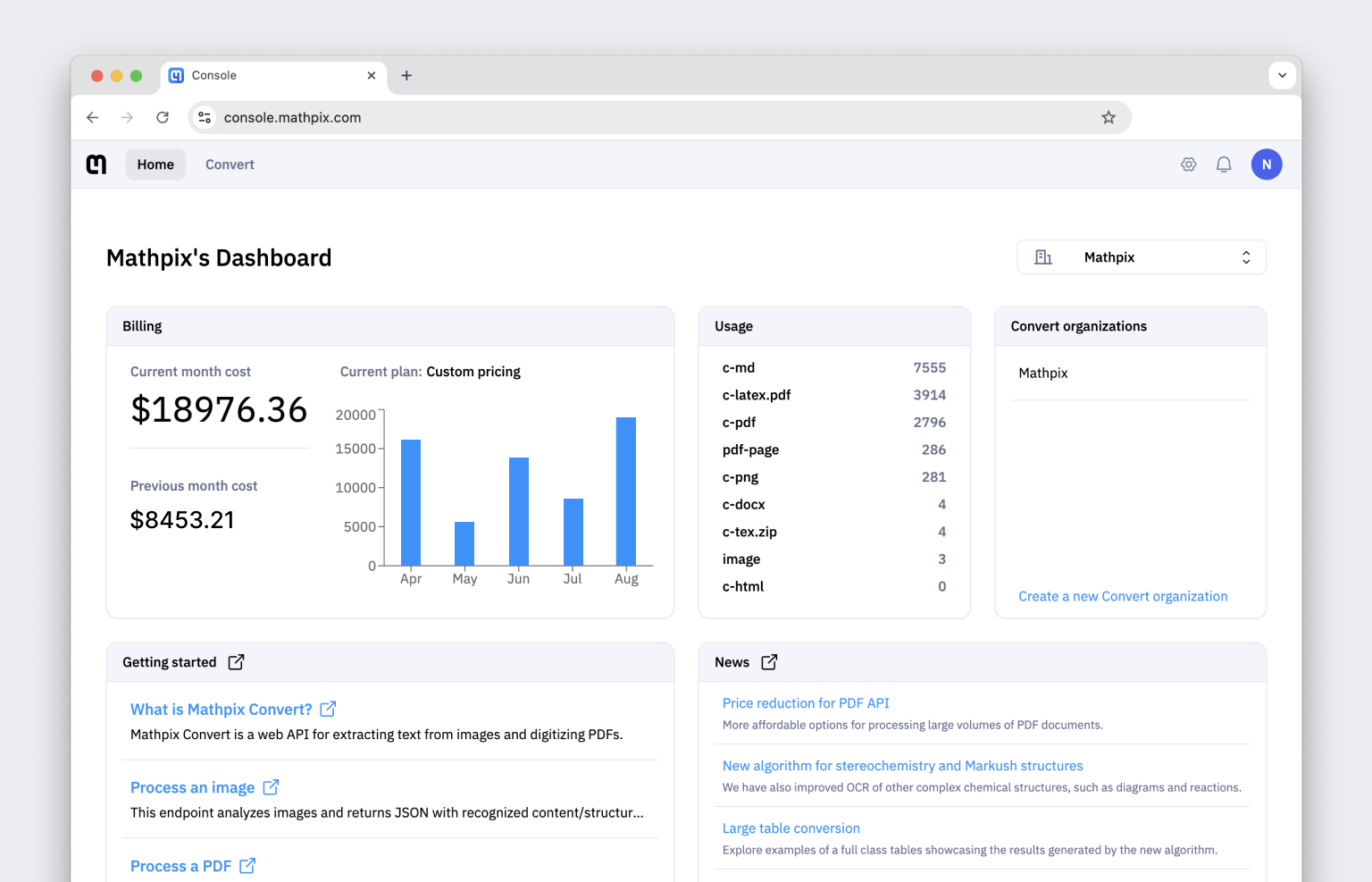
The platform includes a new dashboard where you can view billing and usage for all of your organizations, as well as stay up-to-date with the latest Mathpix features!
Dashboard
Dashboard is a new centralized view of billing, usage, and app management for all of your organizations.
It also includes the abilities to: switch between organizations, control and view data from specific organizations, and use easy-access links to explore quick guides and our latest updates.
Convert
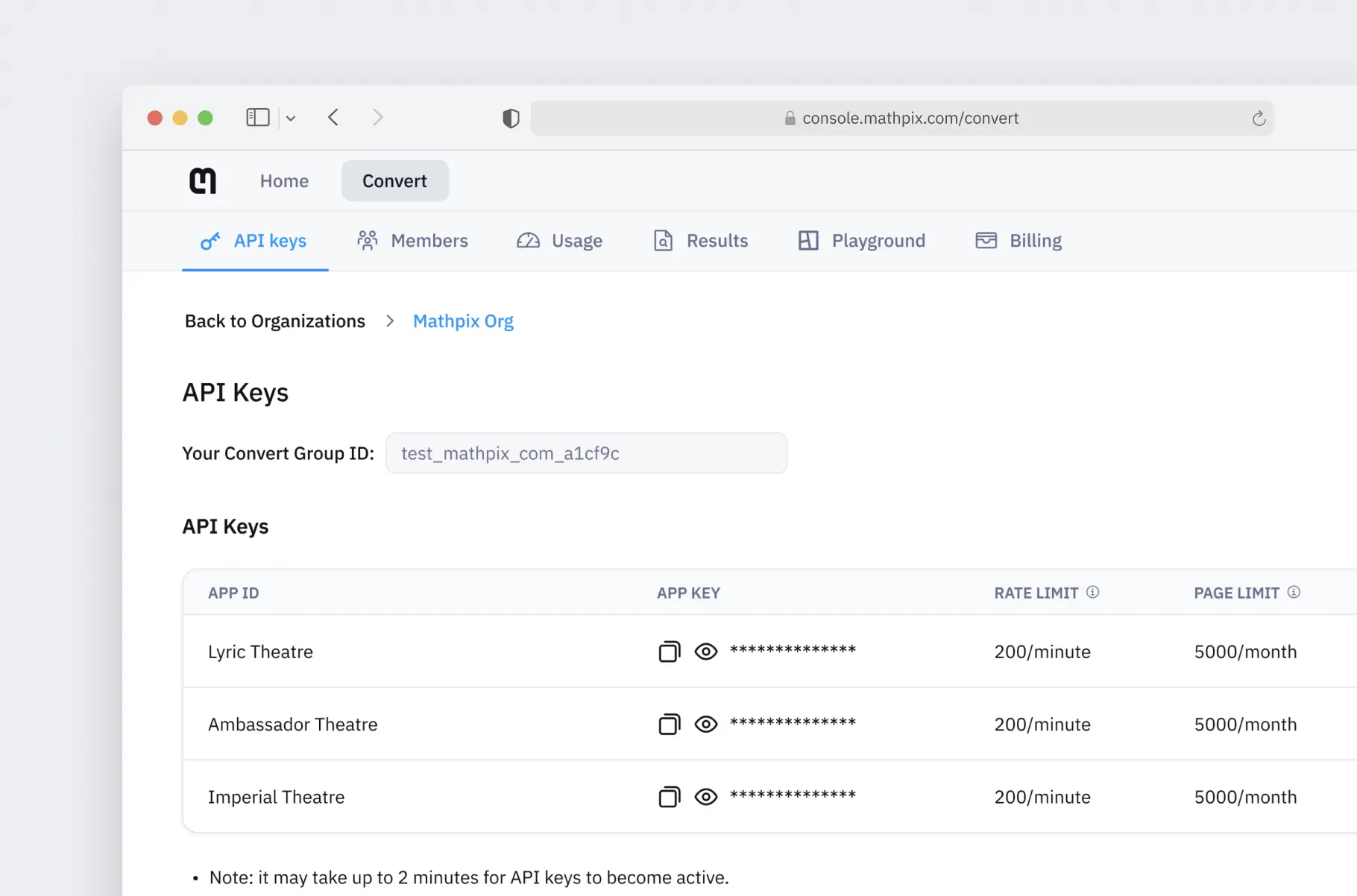
Convert is a redesigned service that replaces the old OCR API dashboard from Mathpix Accounts.
Convert lets you manage API keys, handle organization memberships, monitor usage and results, access the new Playground tab, and view detailed billing information—all in one place.
Playground
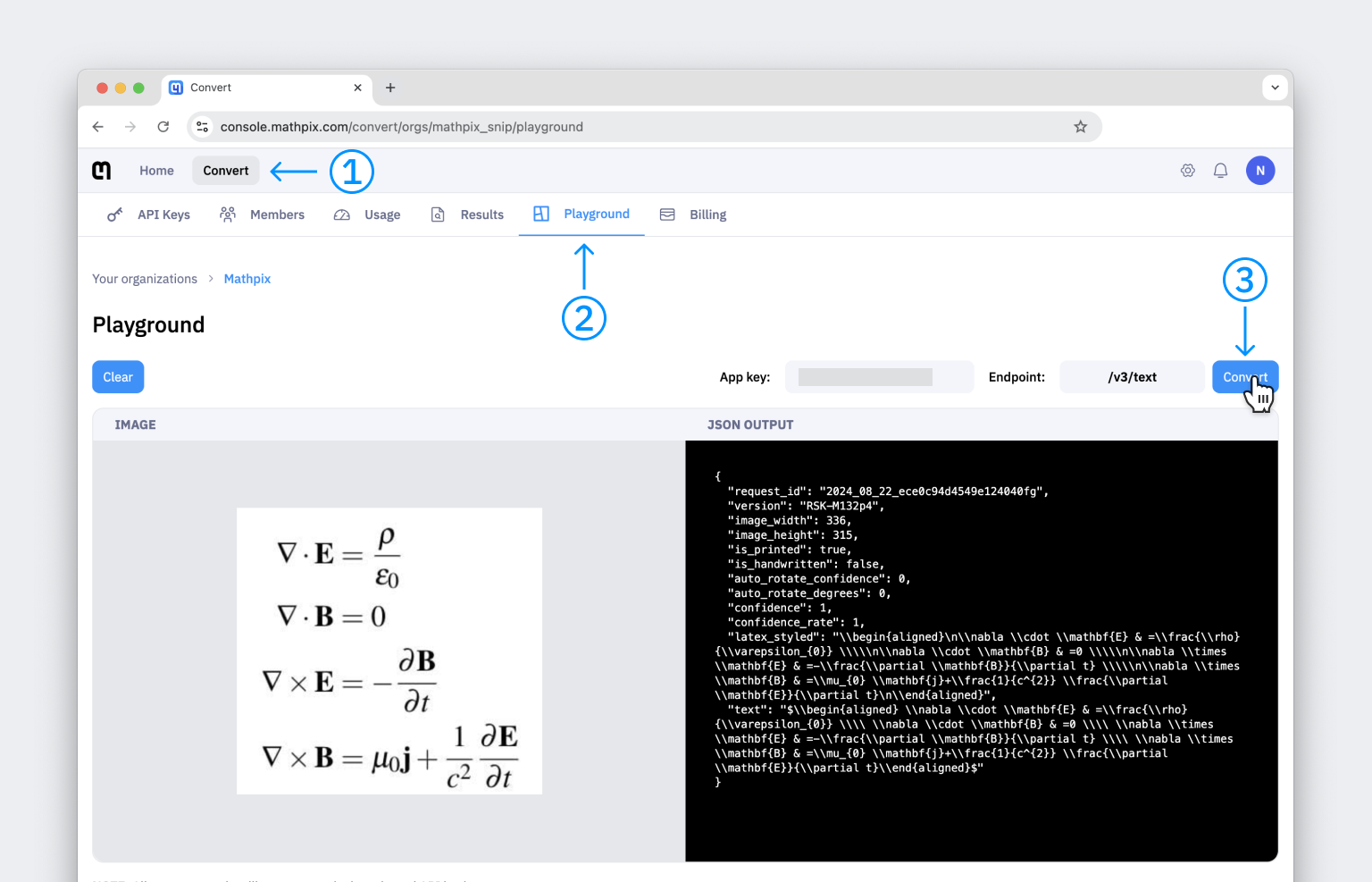
Playground is a new interactive tab within Convert that allows you to test and visualize conversions of PDFs and images using our API.
The initial release of the Convert Playground will allow users to test the following endpoints:
- /v3/text: Upload an image, select an app key, and view the conversion results. The response will display the recognized content along with detailed recognition information.
- /v3/pdf: Upload a PDF file, select an app key, and retrieve the conversion results. This endpoint operates asynchronously, and processing large PDFs may take several minutes to complete. The response will provide detailed, line-by-line data, including conversions and segmentation coordinates.
Language Support
Full support for fourteen languages is now available across Mathpix Console. Supported languages include:
- Simplified Chinese
- Bengali
- German
- English
- Spanish (Castilian)
- French
- Hindi
- Italian
- Japanese
- Korean
- Portuguese
- Russian
- Urdu
- Vietnamese