Mathpix for Collaboration
Simple and powerful solution for teams to work on math and science projects together.
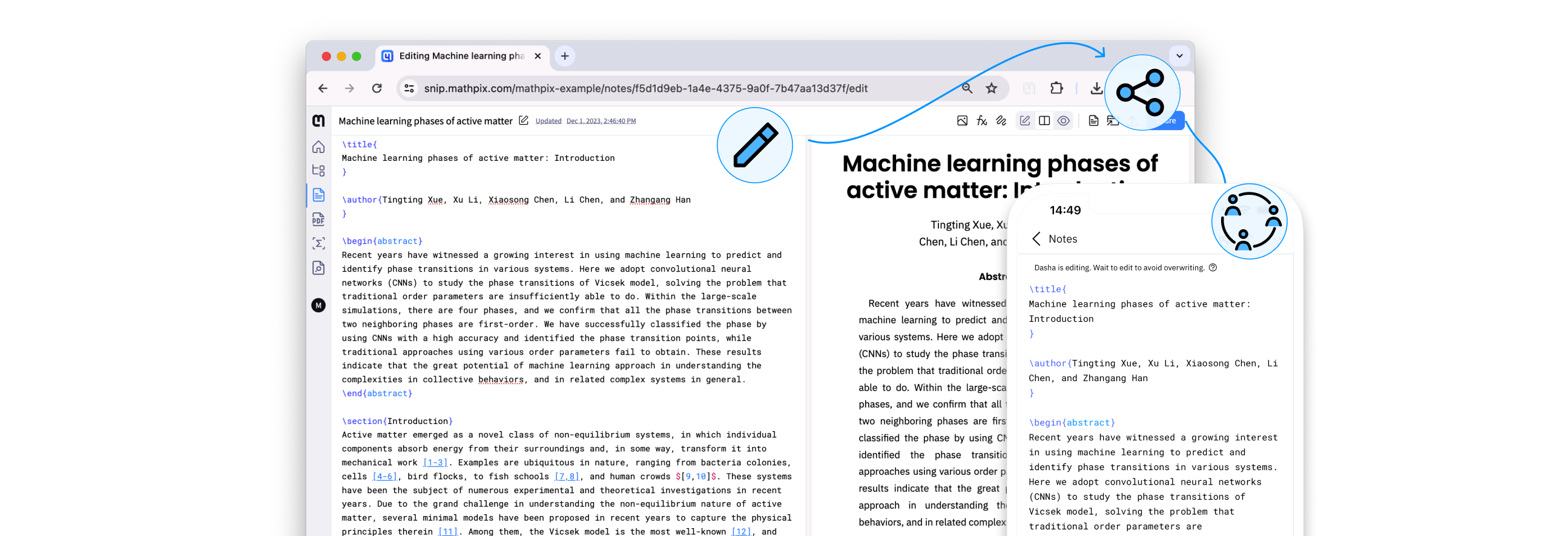

No limit on how many notes you create
Create and collaborate on an unlimited number of scientific notes, perfect for educators and students.

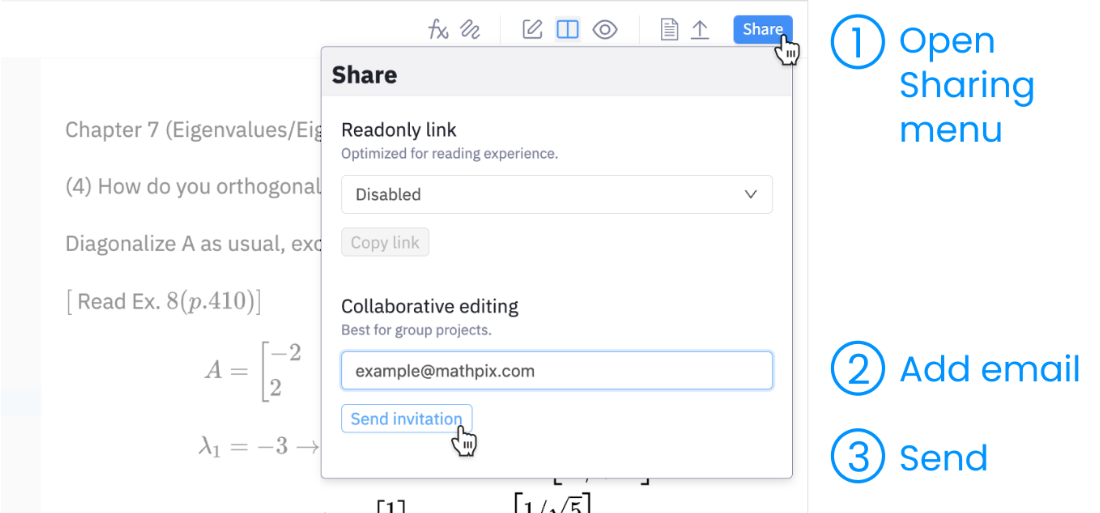
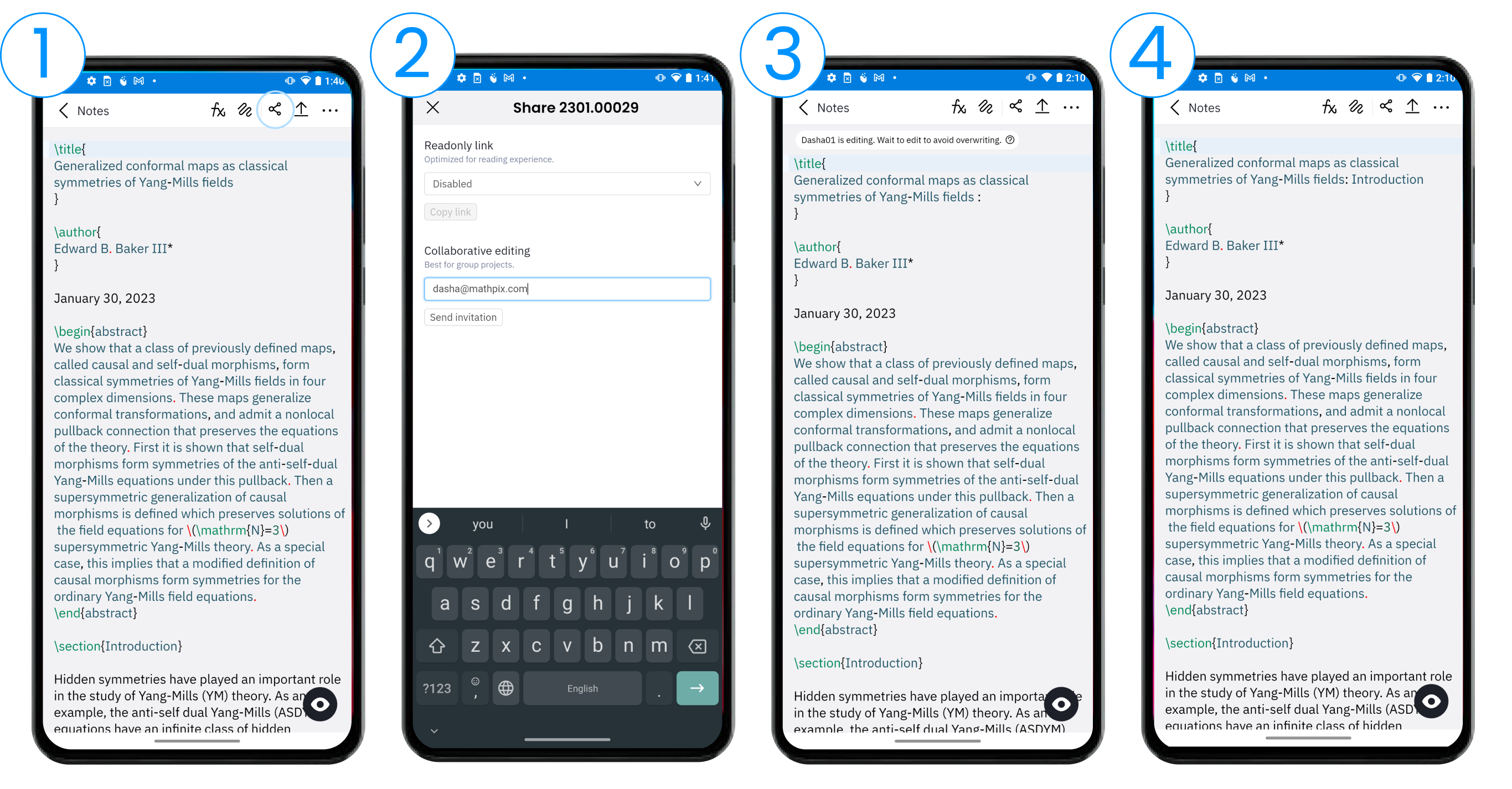
Share a document by link or by email
Share your math and science documents with others via email or by generating a shareable link.

Everyone works from the latest version
We make sure every contributor has access to the latest version of shared content.
What the Snip editor can do
Writing, searching and exporting scientific documents in one place, rather than three tools and a clipboard.
Insert Snips and images
The editor allows to insert converted Snips from the sidebar to your Note. You can also drag and drop images into an editor and watch them get automatically converted to LaTeX, Markdown, TSV, and other formats.

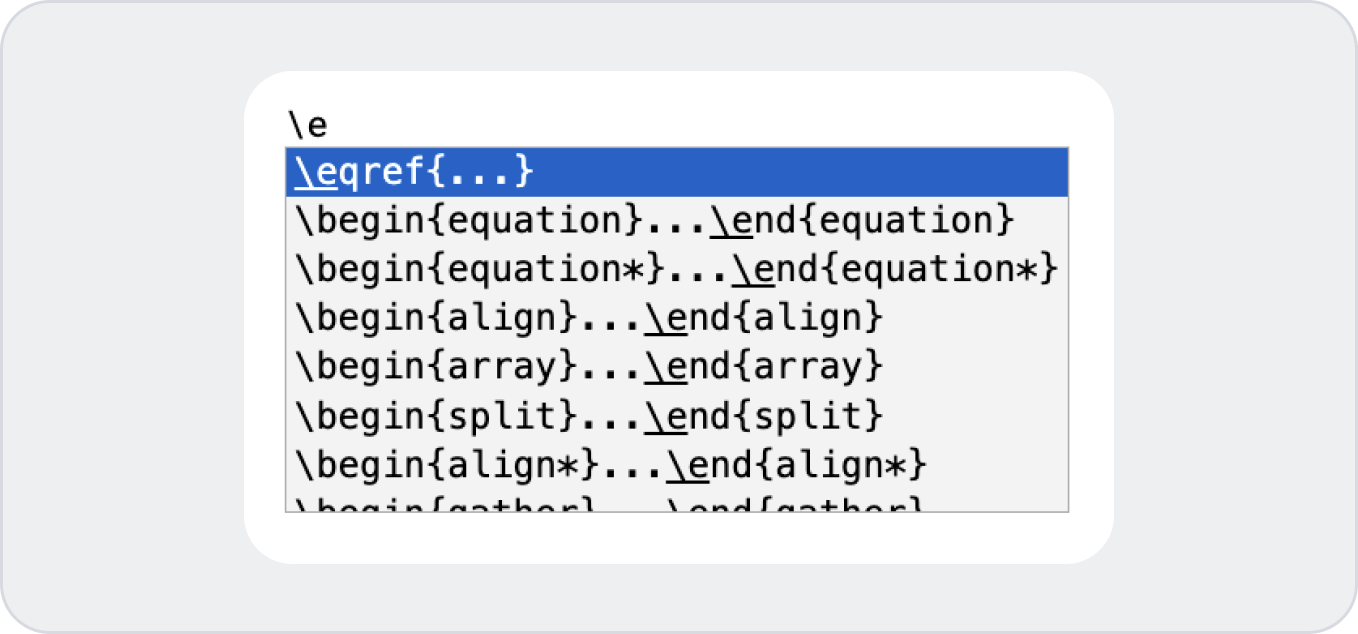
LaTeX autocomplete as you type
Mathpix Snip automatically suggests completions for your LaTeX expressions, helping you save time and stay focused on your work. With a few clicks, you can select the suggestion that best matches what you're looking for, and insert it into your document.
Search your documents by text or by math
Distinguish between owned and shared Notes via the dropdown filter. Search through your documents using text or math as a search term.

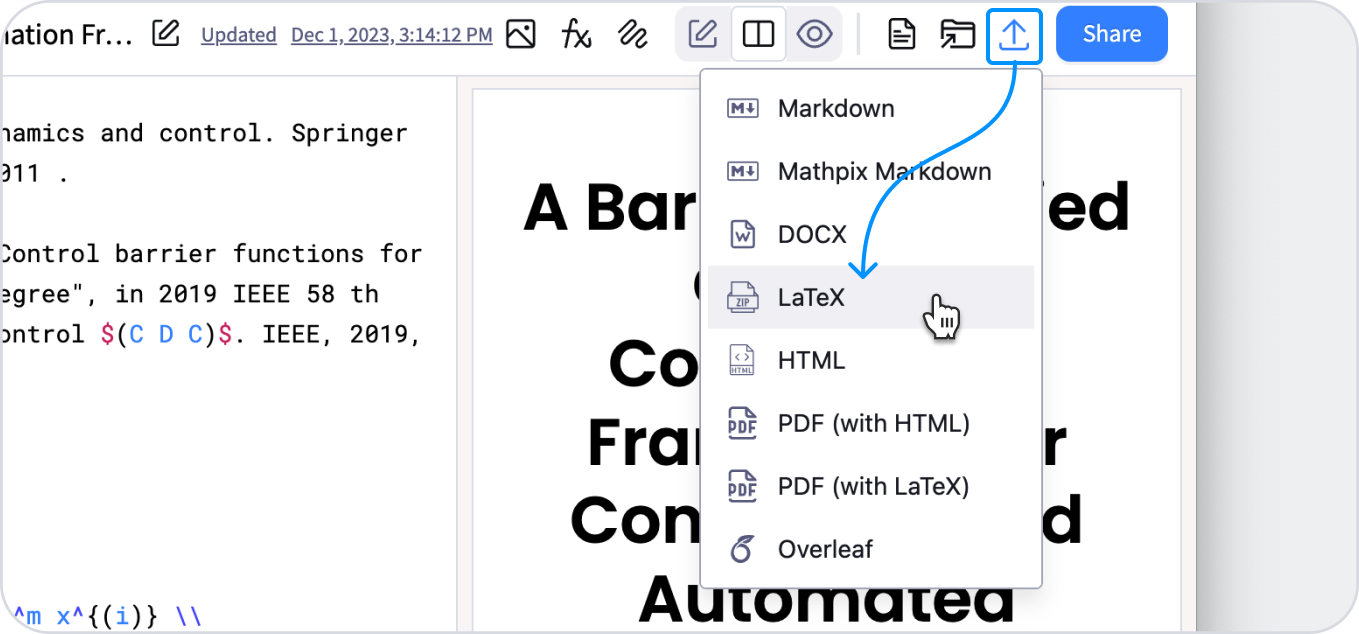
Export to any format, as often as you like
Each collaborator is able to export the Note to other formats like DOCX, LaTeX, HTML, and more anytime. Create once, convert as many times as you want.
Guides for getting a team started
Walkthroughs, templates and worked examples, for whoever ends up answering questions about it internally.