
Processing Images with Mathpix Python SDK
This section explains how to send an image to the Mathpix API using
mpxpy and retrieve structured OCR results.Code Example
from mpxpy.mathpix_client import MathpixClient

client = MathpixClient(
    app_id="your-app-id",
    app_key="your-app-key"
)

# Process an image from a public URL
image = client.image_new(
    url="https://mathpix-ocr-examples.s3.amazonaws.com/cases_hw.jpg"
)

# Get Mathpix Markdown (MMD)
mmd = image.mmd()
print(mmd)

# Get line-by-line OCR data
lines = image.lines_json()
print(lines)
The
The
mmd() method returns the full content as a Mathpix Markdown string.The
lines_json() method returns structured OCR output as a list of dictionaries, including math/text detection, bounding boxes, confidence scores, and more.Visual Example: From Image to Mathpix JSON
This is a real example that demonstrates how a handwritten equation is processed into structured output:
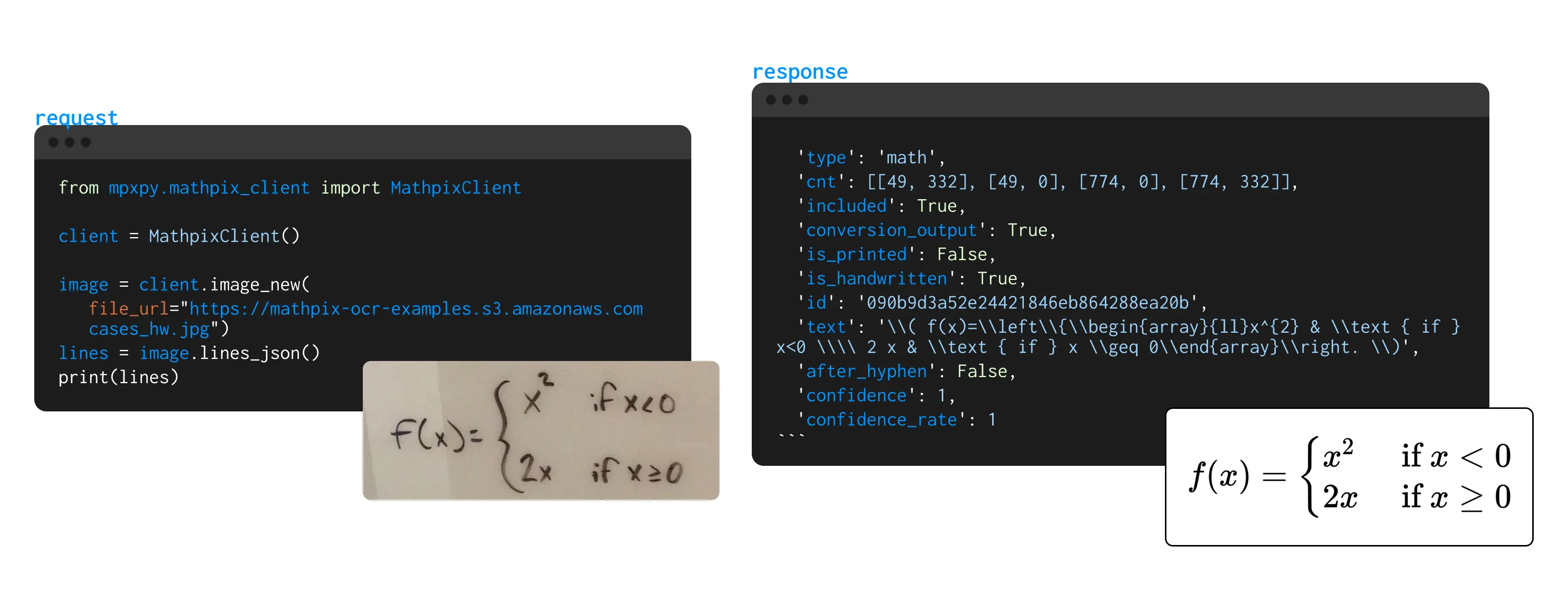
Example Output
[
  {
    "type": "math",
    "cnt": [[49, 332], [49, 0], [774, 0], [774, 332]],
    "included": true,
    "conversion_output": true,
    "is_printed": false,
    "is_handwritten": true,
    "id": "090b9d3a52e24421846eb864288ea20b",
    "text": "\\( f(x)=\\left\\{\\begin{array}{ll}x^{2} & \\text { if } x<0 \\\\ 2 x & \\text { if } x \\geq 0\\end{array}\\right. \\)",
    "confidence": 1,
    "confidence_rate": 1
  }
]
This data includes:
- The type of line (e.g. “math”, “text”)
- Bounding box coordinates (
cnt) - Handwriting detection
- LaTeX representation of the content
- OCR confidence score
- You can also pass
file_pathfor local image processing instead ofurl. - The
lines_json()output is ideal for building editors or performing structured analysis.
Image Class Documentation
Properties
auth: An Auth instance with Mathpix credentials.file_path: Path to a local image file, if using a local file.url: URL of a remote image, if using a remote file.
Methods
mmd(): Return the full Mathpix Markdown (MMD) content as a string.lines_json(): Return line-by-line OCR results as a list of dictionaries (structured JSON).